Tree Infographic PowerPoint Template: A Versatile Visual Tool for Professional Presentations
The Tree Infographic PowerPoint Template is a practical, visually engaging resource designed to help professionals communicate hierarchical data, growth processes, and conceptual frameworks. Its clean design and intuitive layout make it suitable for a wide range of industries and presentation styles. Whether you're crafting a marketing proposal, a business strategy deck, or an educational presentation, this template offers a structured yet flexible foundation for visual storytelling.
Understanding the Tree Infographic Concept
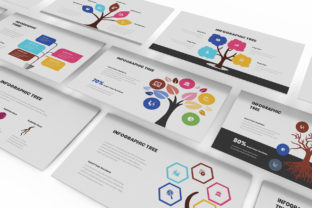
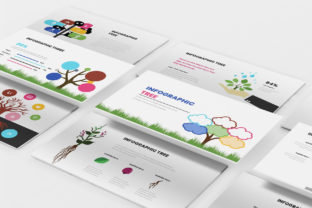
At its core, the Tree Infographic PowerPoint Template leverages the visual metaphor of a tree to represent branching ideas, data hierarchies, or developmental paths. The trunk typically symbolizes a central idea or starting point, while branches represent related concepts, departments, strategies, or outcomes. This format is especially effective for illustrating organizational structures, product lines, marketing funnels, or strategic roadmaps in a way that's both intuitive and visually appealing.
Unlike generic slide templates, this infographic-based design integrates structured visuals directly into the slides, reducing the need for additional graphic editing. It's built with simplicity in mind, allowing users to focus on content rather than formatting.
Key Features and Design Elements
The Tree Infographic PowerPoint Template includes 30 unique slides, all optimized for Full HD resolution (1920x1080). These slides are designed to be interchangeable, enabling users to mix and match based on their presentation needs. Each slide follows a minimalist aesthetic, using clean lines, ample white space, and a restrained color palette to maintain visual clarity.
- Compatibility: Works seamlessly with standard PowerPoint versions, making it accessible for most professionals.
- Font Usage: Relies solely on free fonts, ensuring that the template remains usable across different systems without licensing concerns.
- Animation and Transitions: Includes subtle animations and slide transitions that enhance flow without overwhelming the audience.
- Customization: Designed for easy editing—users can modify colors, icons, and text to align with brand guidelines or presentation themes.
Importantly, the template does not include embedded images, which allows for flexibility but may require users to source or create visuals separately for a fully customized look.
Practical Use Cases and Audience Fit
This template is particularly beneficial for marketers, entrepreneurs, educators, and small business owners who need to present structured information in a compelling format. For example:
- A startup founder might use it to explain the company's growth trajectory, with the trunk representing the founding idea and branches showing product development, customer acquisition, and revenue streams.
- An HR professional could adapt it to visualize team structures, reporting lines, or talent development paths.
- Marketing teams may find it useful for illustrating campaign hierarchies, channel strategies, or audience segmentation.
The versatility of the Tree Infographic PowerPoint Template makes it adaptable to both formal and informal settings, including investor pitches, internal meetings, academic lectures, and training sessions.
Usability and Workflow Integration
One of the template’s strongest features is its ease of use. Since it’s built for PowerPoint, a widely adopted presentation tool, most users will find the interface familiar. The template allows for quick customization—simply copy and paste the slides you need into your existing presentation project. This modular approach supports a streamlined workflow, especially for users who need to build presentations under time constraints.
However, while the template provides a solid starting point, some customization may be necessary to match specific branding or visual preferences. Users with basic PowerPoint skills can adjust colors, fonts, and layout elements without needing advanced design tools or training.
Quality and Visual Consistency
Visually, the template maintains a high standard of quality. Each slide is carefully designed to ensure alignment, spacing, and proportion are consistent across the set. This attention to detail contributes to a polished, professional appearance that enhances credibility during presentations.
The use of vector-based graphics ensures that visuals remain sharp even when projected on large screens or shared digitally. Additionally, the absence of overly complex design elements means that the content remains the focal point, reducing visual clutter and cognitive load for the audience.
Strengths and Limitations
The Tree Infographic PowerPoint Template excels in its ability to simplify complex relationships into digestible visual formats. Its clean design, compatibility with standard software, and modular structure make it a practical asset for a wide audience. Moreover, the inclusion of a help guide file ensures that even less experienced users can navigate the template effectively.
However, it's important to note a few limitations. Since the template doesn’t include images, users may need to invest additional time sourcing or creating visuals that align with their message. Additionally, while the design is modern and professional, it may not offer the same level of uniqueness as a fully custom-designed presentation. For users seeking highly branded or distinctive visuals, this template may serve better as a foundation rather than a final product.
Real-World Performance and Long-Term Value
In practical use, the Tree Infographic PowerPoint Template holds up well across various presentation scenarios. Its structure supports clear storytelling, and the visual metaphor of a tree resonates well with audiences, making complex ideas easier to grasp. Over time, the template’s reusability adds value—once users become familiar with its layout and features, they can quickly repurpose it for new presentations without starting from scratch.
For professionals who regularly create presentations but don’t have access to dedicated design support, this template offers a reliable, time-saving solution. It strikes a balance between aesthetics and functionality, making it a worthwhile investment for those who prioritize efficiency and clarity in their communication.
Final Considerations: Who Should Use It?
The Tree Infographic PowerPoint Template is best suited for professionals who need to convey structured data or hierarchical relationships in a visually engaging format. It's particularly useful for those who value clean design, ease of customization, and compatibility with standard presentation tools. While it may not be the best fit for highly specialized or visually intensive presentations, it serves as a strong foundation for most business and educational uses.
If you're looking to streamline your presentation workflow without sacrificing visual quality, this template is worth considering. It offers a practical, no-frills approach to infographic-based storytelling that can enhance both your content and your audience's understanding.